 Skip to main content
Social Media
Automation
Made Simple
Create and manage your social media content in one place. Get help from AI when you need ideas or want to create posts faster, or write and customize your content yourself.
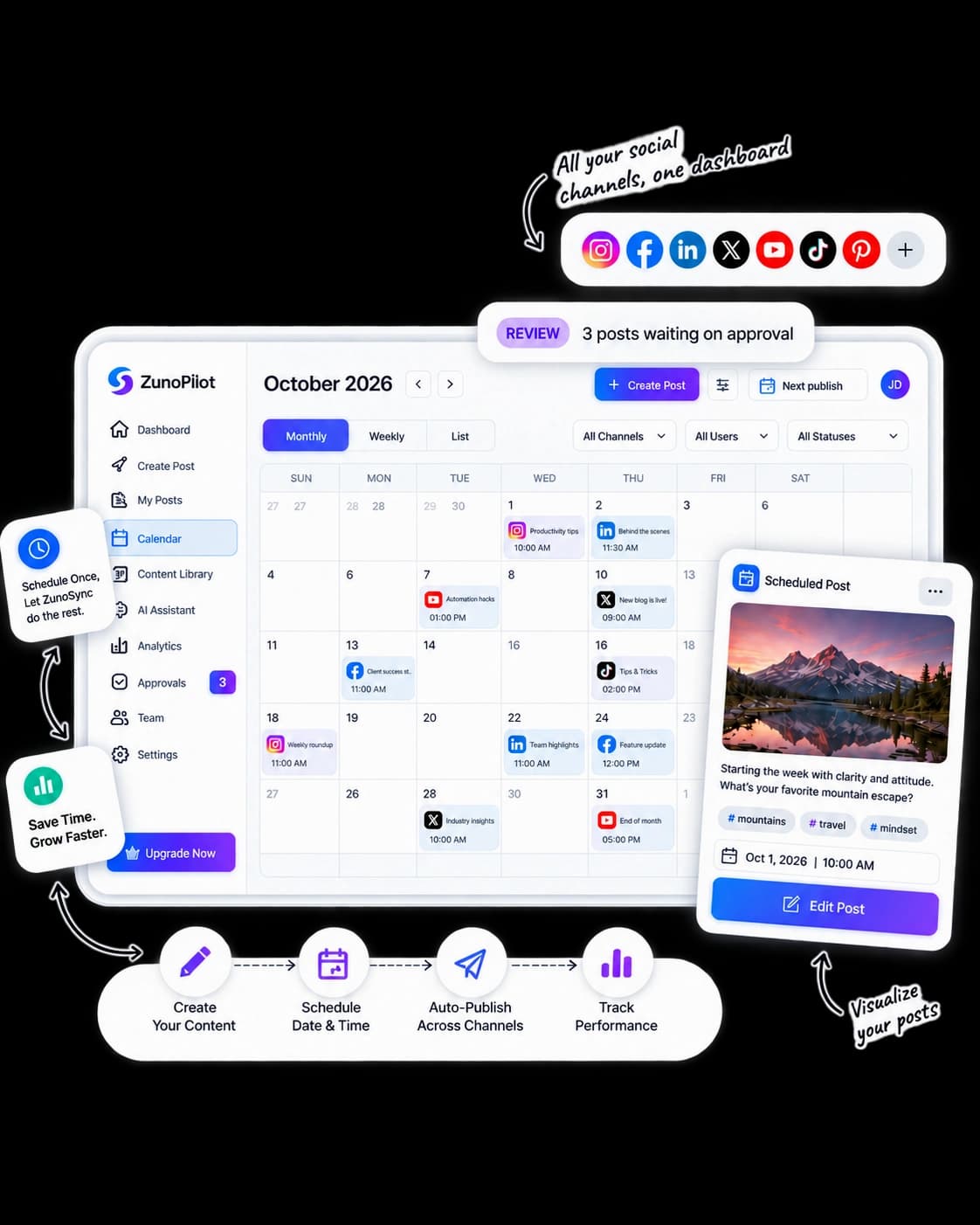
Publish once to the channels your audience already uses
 Instagram
 Facebook
 LinkedIn
 X
X TikTok
 YouTube
Everything You Need for Social Media Management
Manage your social media content from one place. ZunoSync helps you create, organize, collaborate, schedule, and publish content across your connected social accounts.
Create
Create social media posts from your own ideas, business updates, campaigns, products, or services.
Plan
Organize your upcoming content and decide what you want to publish and when.
Manage
Manage your connected social media accounts and keep your publishing activities organized in one place.
Collaborate
Let your team contribute to social media content while keeping everything organized for review and approval.
Schedule
Choose when your content should go live, whether you want to publish immediately or prepare posts for a future date.
Publish
Publish your content to connected social media accounts once it’s ready to go live.
Create Social Media Content
With AI or Your Own Ideas
Build social media content around your business, audience, and goals. Create content yourself or use AI to turn your ideas and business information into ready-to-review posts.
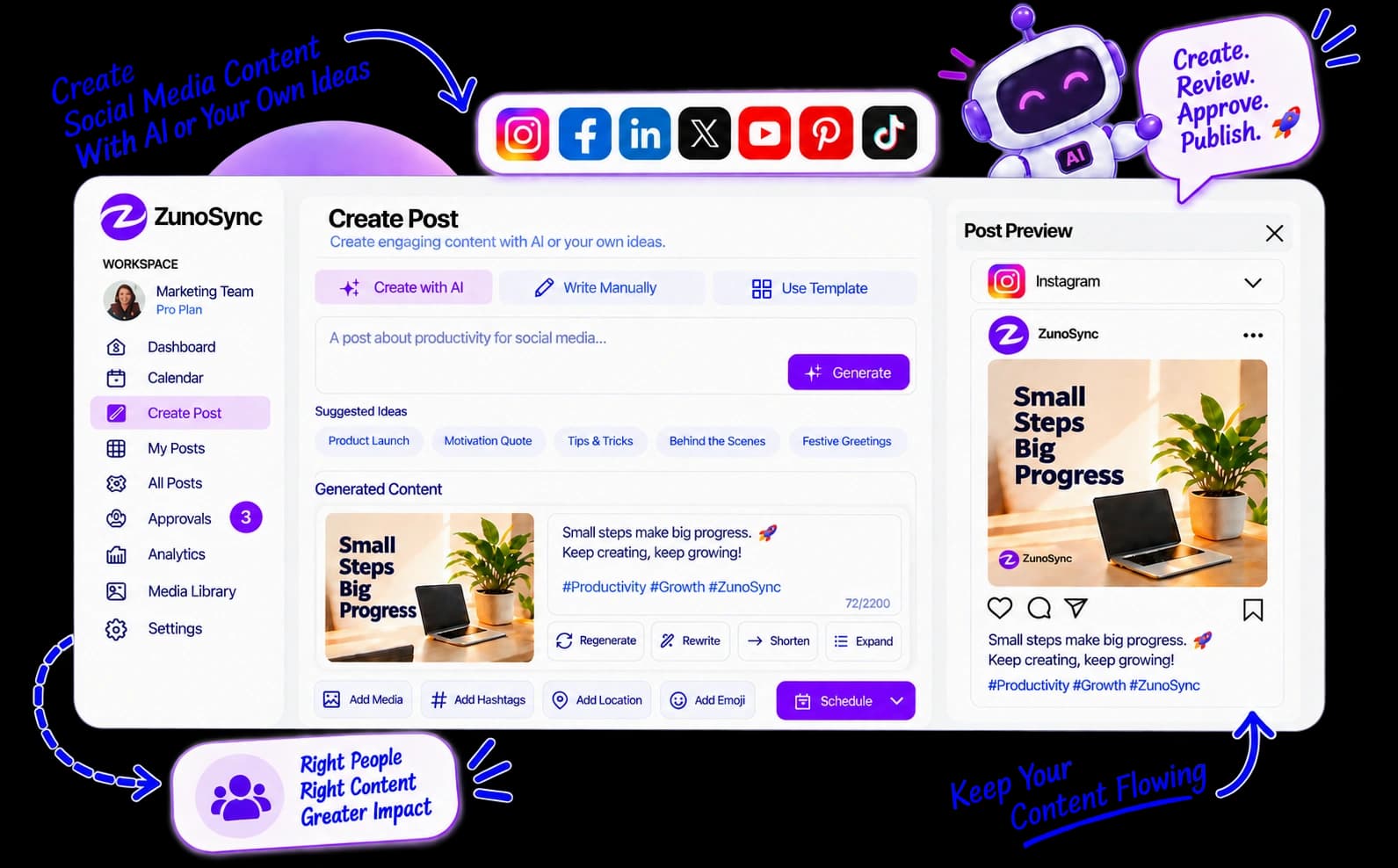
Create Content Your Way
Start with your own text, ideas, images, videos, or other supported media and shape each post according to your requirements.
Plan Content With AI
Give AI your topics, goals, campaigns, products, or services and use it to develop content ideas and a structured direction for upcoming posts.
Generate Social Media Posts
Turn selected ideas into social media content with AI assistance. Provide your requirements and refine the generated content before it moves forward.
Keep Your Brand Information Organized
Use Brand Kit to maintain important brand details and guidelines, while Knowledge Base stores business information useful during content creation.
Give AI the Right Business Context
Relevant information from your Brand Kit and Knowledge Base helps AI create content that is better aligned with your business, offerings, and messaging.
Review and Customize
Review your content before sending it to your team's review, approval, scheduling, or publishing workflow.
Collaborate With
Your Team Before
Content Goes Live
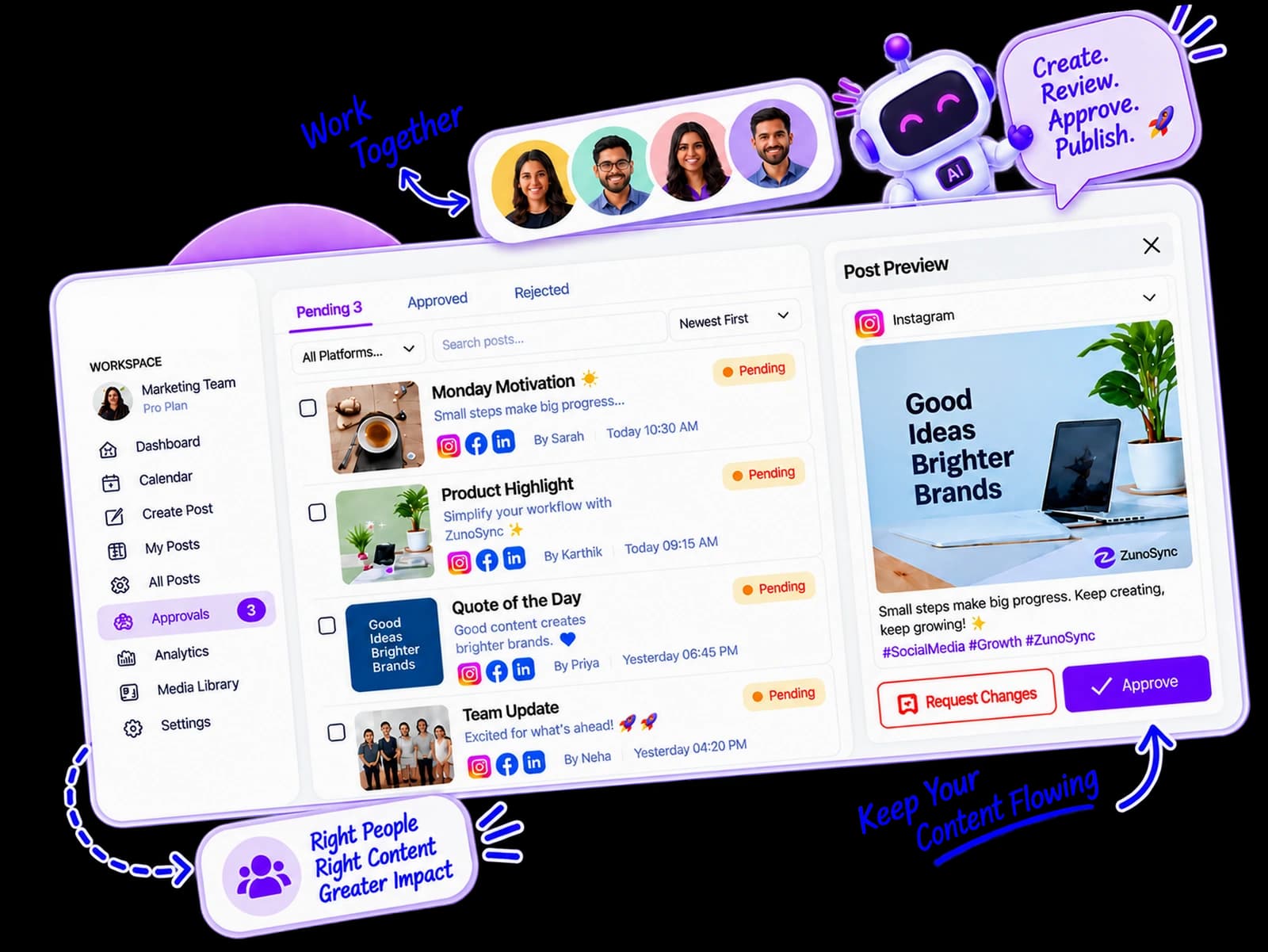
Give your team an easy way to create, share, review, and approve social media content. ZunoSync keeps everyone involved while giving the right people control over what gets published.
Let Team Members Submit Content
Team members can create social media posts and submit them for review.
Keep Contributions Organized
Every draft lands in a shared queue so nothing is lost in chat threads.
Review Content Before Publishing
See the post, caption, media, and destination accounts before it is scheduled.
Request Changes When Needed
Comment in context and send work back without starting over.
Approve Content With Confidence
The right people sign off — then the post can move to schedule or publish.
Review AI or Manually Created Content
The same approval path applies whether a teammate wrote it or AI drafted it.
Plan Your Content and Publish It When You Want
Plan your social media content ahead of time and keep your publishing calendar organized. Choose when each post should go live and make changes whenever your plans change.
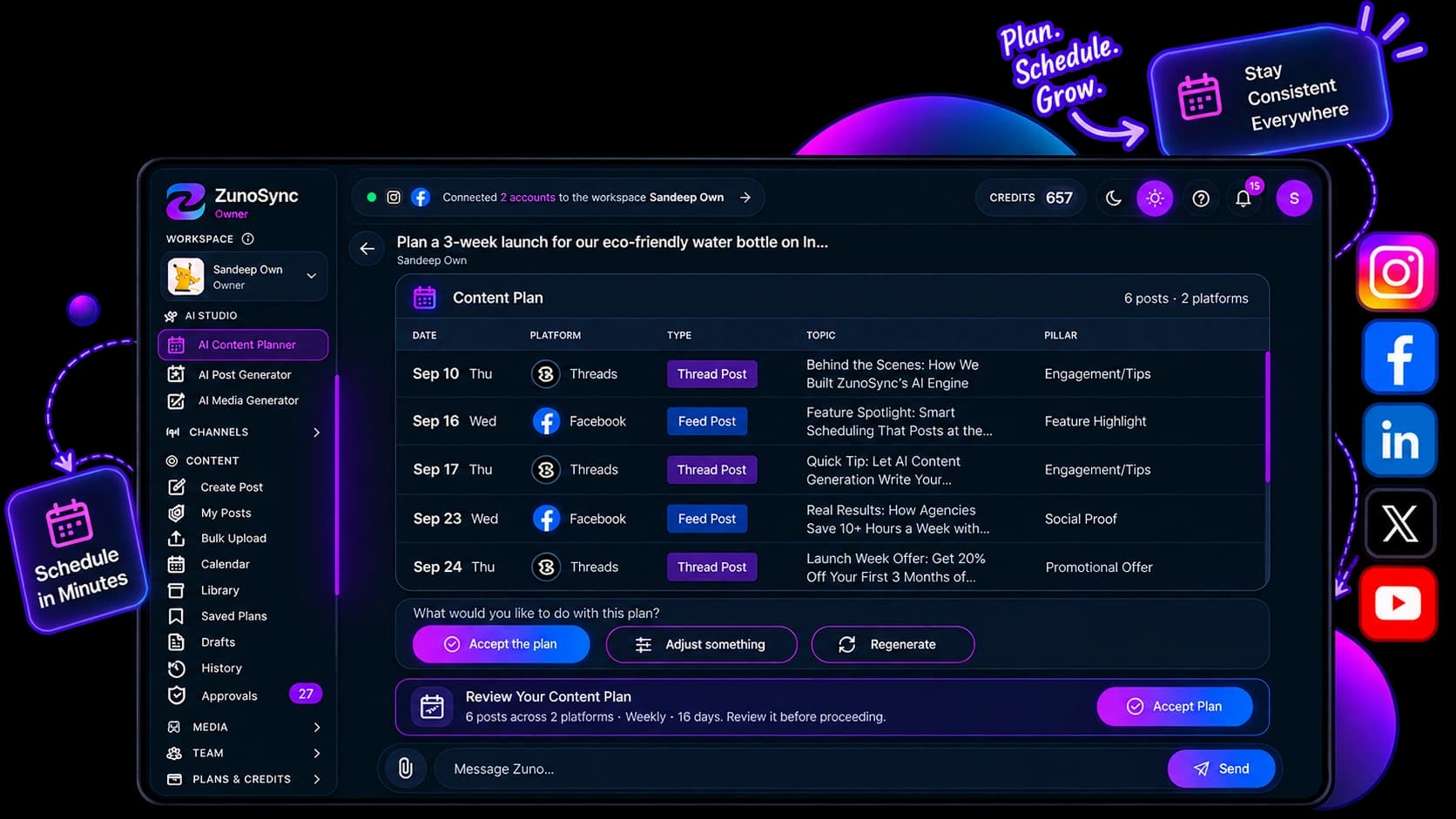
Plan Ahead
Organize upcoming social media posts and campaigns so you always know what is ready to publish.
Schedule Posts for Later
Choose a future date and time for your content instead of publishing everything manually.
Make Changes Before Publishing
Edit, reschedule, or update your content when your plans change.
Keep Your Content Organized
Keep planned, scheduled, and ready-to-publish posts together so you can easily see what's coming next.
Manage Multiple Social Accounts
Plan content for your connected social media accounts from one organized workspace.
See Your Content Calendar
View your planned posts in a calendar and get a clear picture of what's coming next.
Ready to take control of your content?
Start planning and scheduling your posts in one organized workspace.
Automate Your Social Media Publishing
Once your content is prepared and scheduled, ZunoSync can handle the routine publishing process for you. Set your publishing schedule in advance and let your approved content go live automatically at the time you choose.
Reduce Manual Publishing
Spend less time opening different social platforms and publishing posts one by one.
Move Ready Content Forward
Once your content is ready, keep it moving through the publishing workflow with fewer manual steps.
Keep Your Publishing Consistent
Maintain a steady flow of social media content without managing every post manually.
Connect Your Social Accounts
Bring your supported social channels into ZunoSync and manage your publishing workflow from one place.
Handle Routine Publishing Tasks
Let ZunoSync take care of routine publishing steps while you focus on your content and campaigns.
Stay In Control
Review, update, or change your content whenever you need to before it goes live.
Social Media Management Built for Different Industries
Every business has different social media goals and content needs. ZunoSync helps you create, organize, schedule, and manage content in a workflow that fits your business.
Product stories, launches, and offers
Create product-focused content, promotions, launches, offers, and campaign updates, keeping your publishing schedule organized.
Property updates, listings, and market insights
Plan property updates, listing content, market insights, project announcements, and promotional posts for consistent social media activity.
Menus, events, and seasonal experiences
Manage content for menus, offers, events, seasonal promotions, customer experiences, and business updates.
Client workflows, submissions, and approvals
Coordinate content across clients and teams, manage submissions and approvals, and organize publishing activities across connected social accounts.
Feature releases, guides, and industry insights
Share product updates, educational content, feature announcements, industry insights, and thought-leadership posts.
Brand building, updates, and consistent growth
Build a consistent social media presence by planning content ahead, creating posts efficiently, and scheduling publishing around business priorities.
Expertise, announcements, and resources
Share educational resources, announcements, expertise, events, and informative content with an organized publishing workflow.
Visual campaigns, trends, and promotions
Plan campaigns, promotions, tips, product or service highlights, seasonal content, and audience-focused social posts.
A Simpler Way to Manage Your Social Media
Manage your social media content, accounts, team, and publishing in one place. ZunoSync helps you create posts, plan your content, work with your team, and publish without switching between different tools.
Manage Everything in One Place
Create, organize, and manage your social media content from one workspace.
Create Posts Your Way
Write your own posts or use AI to help with ideas and content when you need it.
Work With Your Team
Let team members create and submit posts before you review and approve posts before publishing.
Plan and Schedule Content
Organize your content calendar and choose when your posts should be published.
Save Time With Automation
Automate routine publishing tasks so you don't have to manually publish every post.
Try ZunoSync and explore an easier way
Create, plan, manage, and publish your social content. Create posts yourself or use AI when you need help, then organize everything in one place.
Limited-time free access · Use AI when you need it, with usage-based credits
Frequently Asked Questions
ZunoSync is an AI-powered social media workspace from mTouch Labs. Create or generate posts, collaborate on approvals, schedule them, and publish to connected accounts from one place.
Yes. Write your own copy, upload your own media, and publish or schedule without touching AI.
Yes. Give it topics, goals, campaigns, products, or services plus brand context from your Brand Kit and Knowledge Base. You always review and customize before anything is scheduled or published.
Yes. Choose a future date and time for each post, queue a week of content, and publish at your audience's peak hours.
Yes. When a post is ready, you can publish immediately to connected accounts — or keep it scheduled for later.
Yes. Team members submit drafts, reviewers request changes, and approvers sign off. Approved work is what enters the publish queue — including AI or manually created content.
No. Manual posts do not spend AI credits. Credits apply only when you generate with AI.
Credits are usage-based and only apply when you generate with AI. Drafting, editing, scheduling, and publishing by hand do not spend credits. Current access is limited-time free.
Instagram, Facebook, LinkedIn, X, TikTok, and YouTube — managed from one calendar and queue.